Run a range test with your node
Performing a range test with your Node
Network Test and Noise Test had been integrated as part of the commissioning process whenever you run the setup at site. Take note that it is always best to commission the node with sensor at the exact spot where it would be deployed that way, we know what’s the exact environmental noise level and network range at that spot.
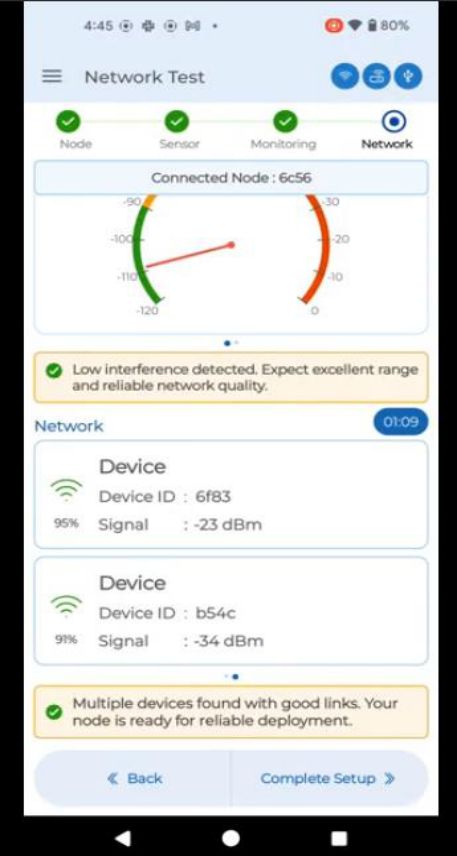
The picture below is a reference: it shows that Node 6c59 which your app is connected to, is deployed in an environment with a Noise Level of -109 dBm. The bottom portion of the picture shows that Node 6c59 could scan Node 6f83 @ -23 dbm and Node b54C@ -34 dbm. The rule of thumb is to have at least two neighbouring nodes with healthy dbm readings far below your environmental noise level. The picture below fulfills this condition, where the node can scan 2 devices and both readings are far below Noise Level of -109 dBm. If you could only scan 1 device or none despite waiting for more than 4 minutes, that’s when you have to improve the network by:
a. Elevating the node to a higher place
b. Elevating the antenna
c. Adding repeater.
Repeat the test until you can confirm that you could see 2 neighbouring nodes with healthy dbm readings.
Never drop the node in a spot where you couldn't fulfill this condition.
Point to take note: Always start from nodes closest to GW and expand slowly to have a robust network formation.