Install your nodes
Installing your Nodes
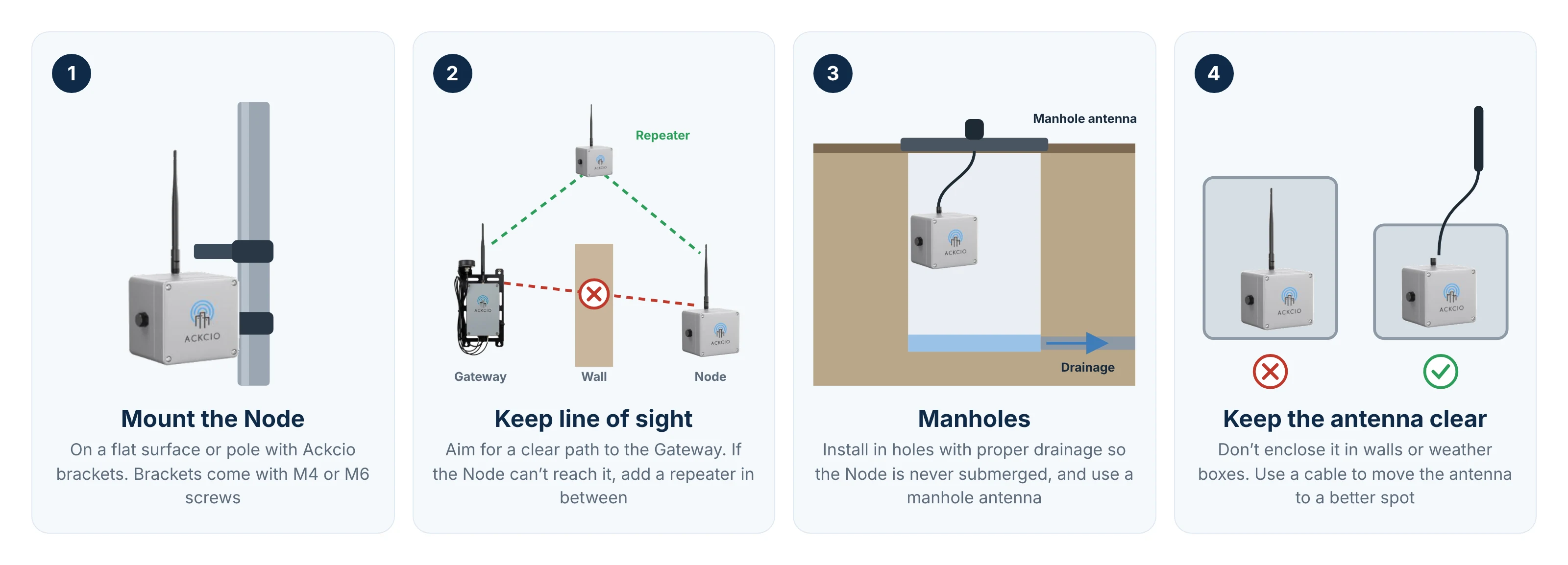
Your Nodes can be mounted onto flat surfaces and poles with our brackets or other installation methods. Do take note that your single channel Node brackets will come with M4 screws while your multi-channel Node brackets will come with M6 screws.
ImportantIf you wish to deploy your Nodes within manholes, we would recommend installing them in holes with proper drainage to avoid permanent submersion together with manhole antennas for better network stability.
ImportantFor maximum range and reliability, we would recommend installing your Node with a direct line of sight to the Gateway if possible. Should your Nodes be unable to reach the Gateway, you will need to add additional repeater Nodes in between the devices.
For maximum range, the Node’s antenna should not be obstructed or enclosed by obstacles such as walls and weather boxes. If the Node’s position cannot be changed, we would recommend using a cable to relocate the antenna to a better position.